Learn how to assign structures to a specific Inspection Area within your current year’s programme.
Steps to Follow
Navigate to the Inspection Programme
From the left menu, go to Inspections > Inspection Programme: Current Year.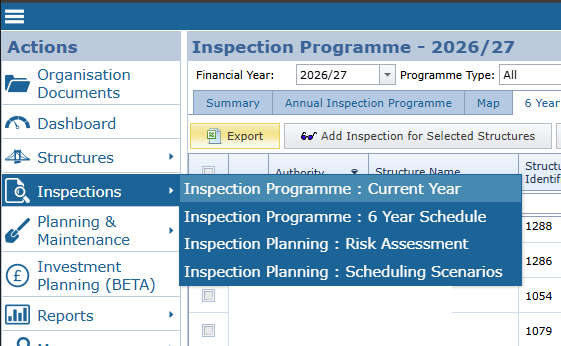
Open Inspection Area Management
Click the Manage Inspection Area tab at the top of the page. This will display a list of all available inspection areas.
Select Your Inspection Area
Find the inspection area you want to add structures to, and click the expand icon (>) in the first column to expand its details. 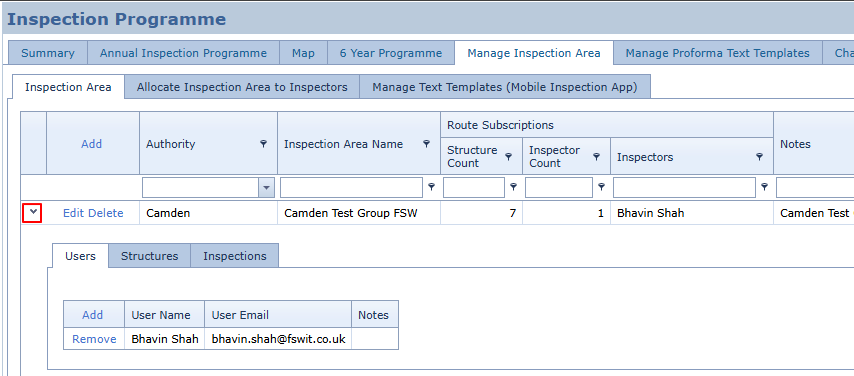
Add Structures
Select the Structures tab, then click the Add structures button to choose and assign your structures.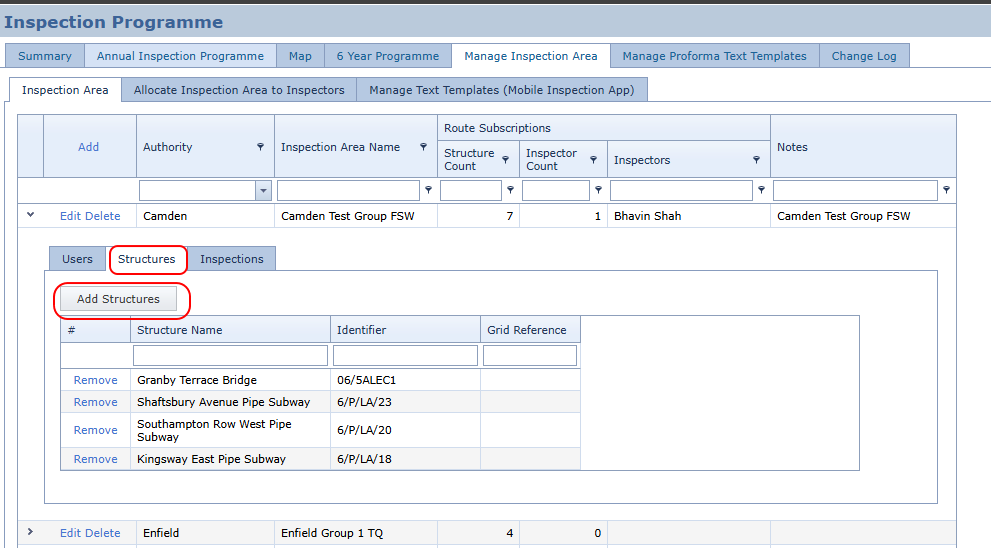
Article ID: 342, Created: 8/5/2026 at 11:57 AM, Modified: 8/6/2026 at 8:54 AM